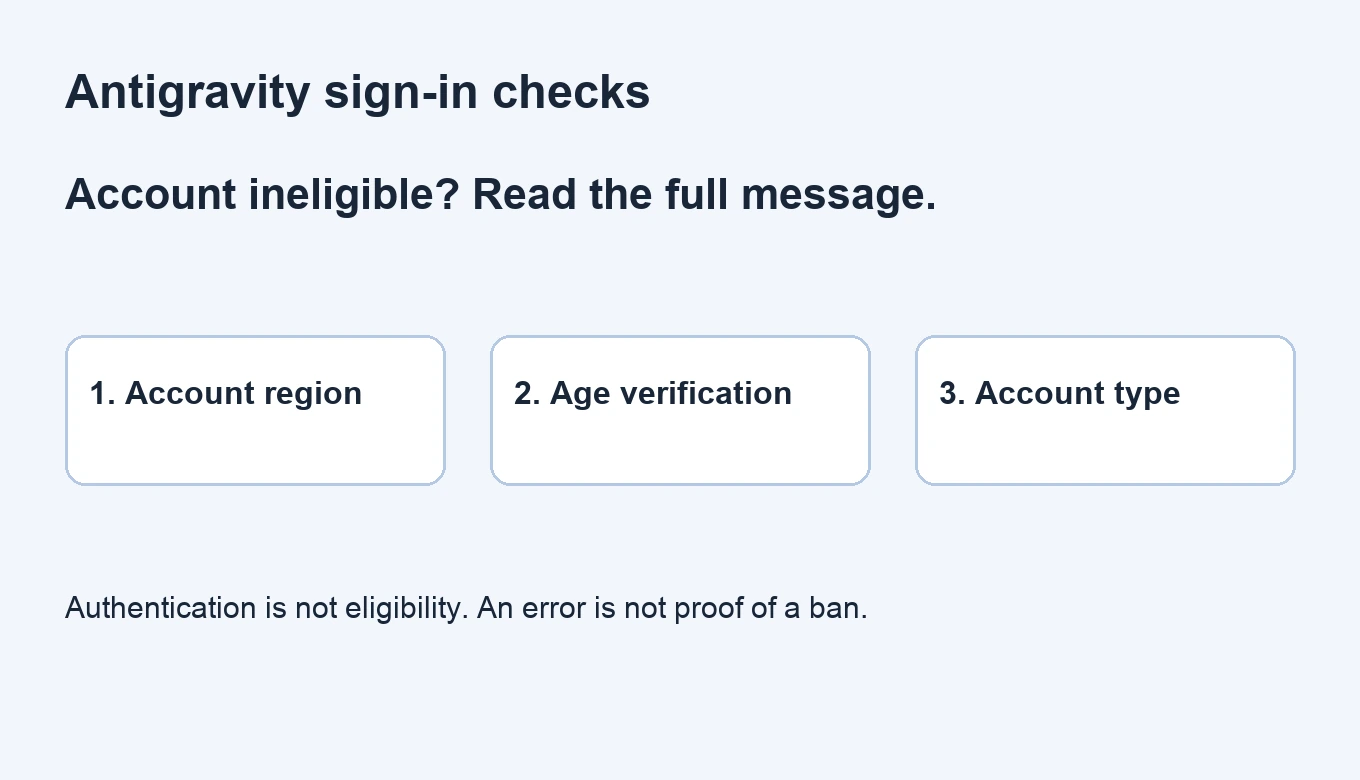
If Antigravity says your account is ineligible, read the complete reason before checking the affected Google Account’s associated country, age verification, account type and sign-in flow. The word ineligible alone does not establish an account ban. A US IP address, paid subscription or country-correction request is not a universal fix.
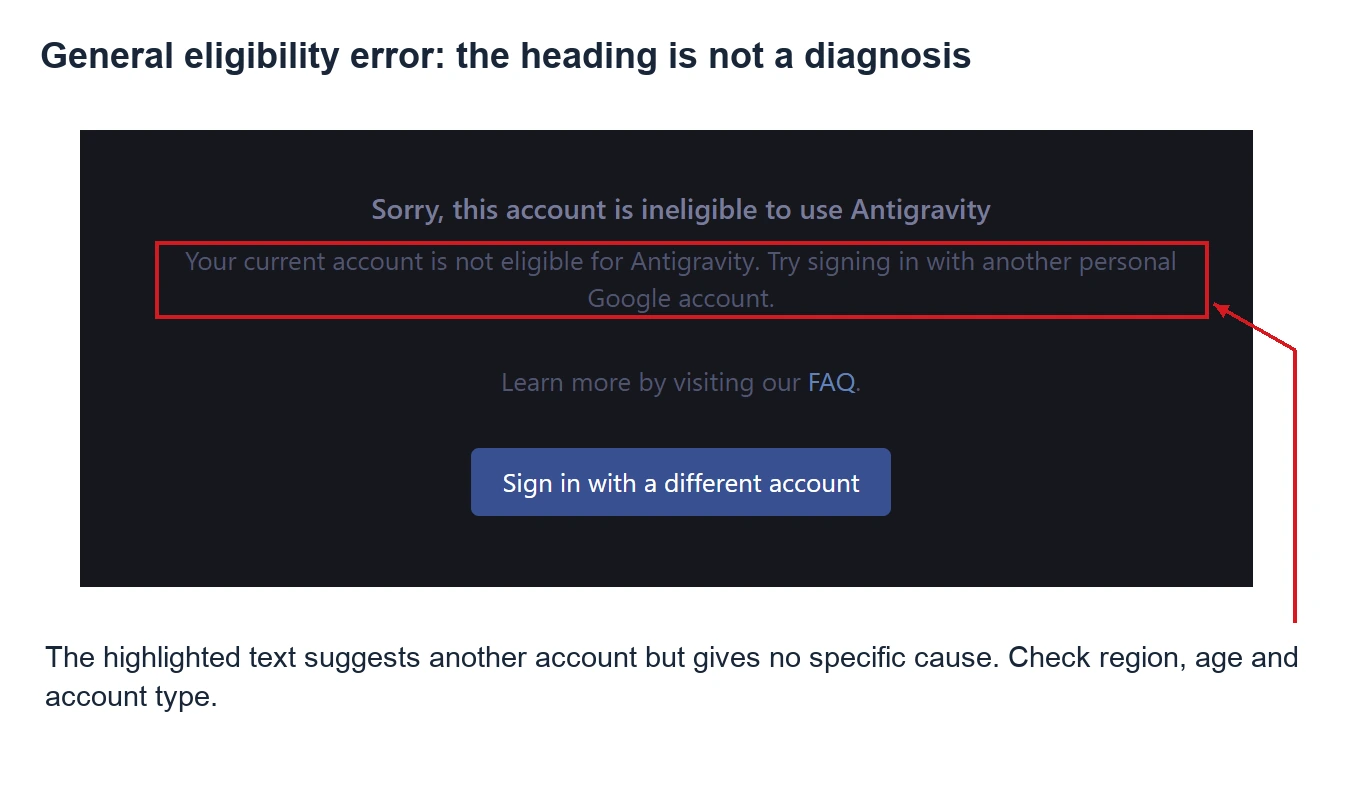
A common heading is Sorry, this account is ineligible to use Antigravity, but the explanation underneath can differ. The community screenshots below help identify the message before choosing a troubleshooting path.
Read the full error: eligibility, location, verification and quota differ
| Message or symptom | What it establishes | Next check |
|---|---|---|
| Generic ineligible message suggesting another personal account | This eligibility check failed without identifying a specific cause | Account selection, country, age and account type |
| Explicitly unavailable in your location | The message points to geographical availability | Associated country and current official availability |
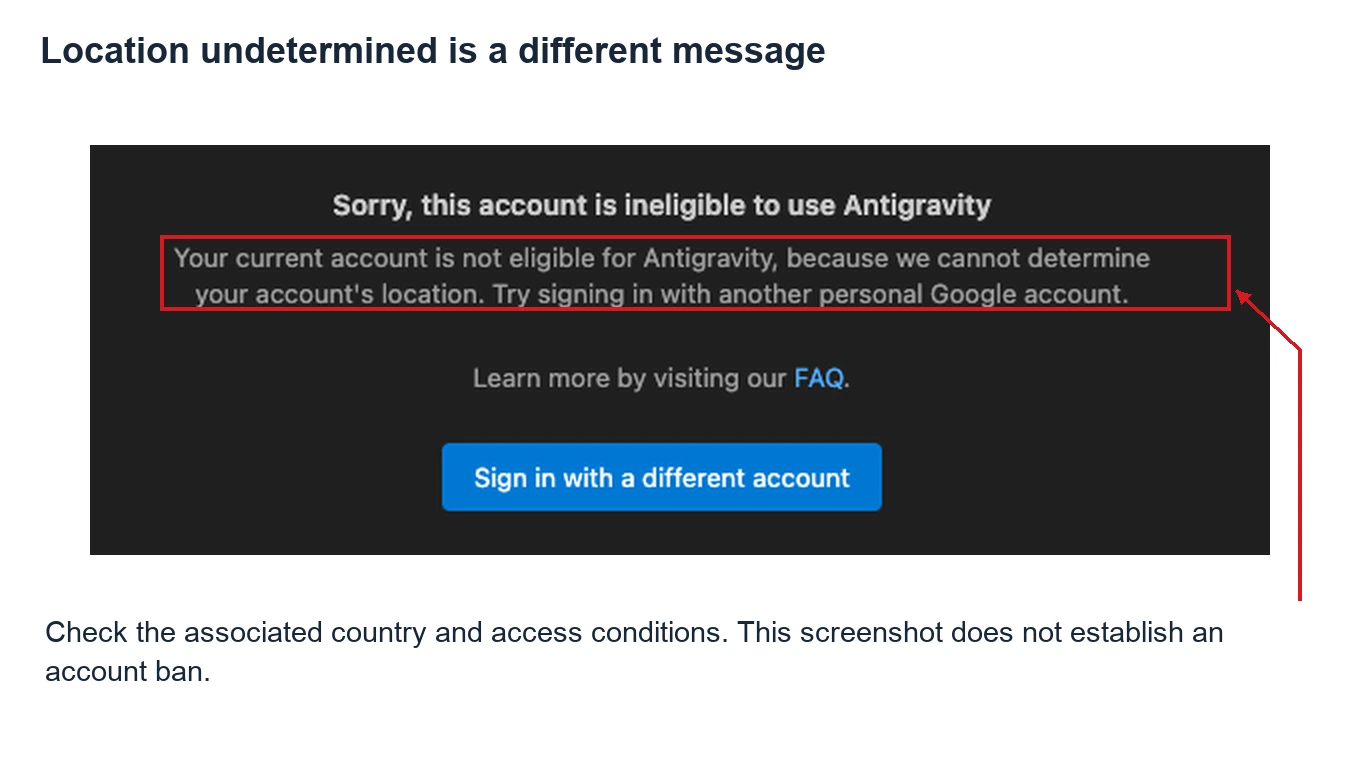
| Account location cannot be determined | The system reports an undetermined location, not a confirmed unsupported country | Associated country, actual access conditions and the full text |
| Browser authentication succeeds but the client requests verification | That authentication step completed, not necessarily every product check | Same-account sign-in and outstanding official verification |
| Ineligible only for higher rate limits | A quota or entitlement issue, not necessarily a total sign-in block | Plan, entitlement, verification and current product guidance |
| A separate suspension or termination notice | A stated restriction for the relevant service or account | The notice’s scope and appeal options |
The first screenshot gives a generic eligibility message without specifying a country or age cause. It comes from a user report in Google’s developer forum and illustrates the message, not a successful fix. Interfaces can differ by version.
How to read X reports about changing country or free access
The X discussions reviewed for this guide include a user’s report that correcting their associated country restored access, and an experience where Gemini worked while Antigravity did not. These are leads for checking the particular product’s eligibility, not evidence that every failure has the same cause or review time.
Another claim needs separating: that a zero-cost account is inevitably banned on sign-in. The official free tier, promotional subscriptions and actual usage are different questions. Eligible personal accounts have a free sign-in option in the official authentication guide. Without an offer’s conditions, the restriction notice and relevant activity, payment amount alone cannot establish a ban’s cause.
Step 1: Check the associated country, not just IP or billing
- Identify the affected account. Match the account used by Antigravity with the one you inspect in the browser. Multiple signed-in accounts can make this easy to get wrong.
- Use the official destination. While signed into the affected account, open the Google Terms of Service page and check its country version. An anonymous page’s region is not evidence of a particular account’s association.
- Compare current availability. Check the geographical section of the Antigravity FAQ. The US is not the only supported country; mainland China is not currently listed.
- Record the discrepancy. If the association is incorrect, use the correction process. Otherwise continue to age and account-type checks instead of repeatedly submitting the same request.
| Information | What it describes | What it does not prove |
|---|---|---|
| Account-associated country | The account association checked through the destination specified by the FAQ | Identical eligibility rules for every Google product |
| Current network egress | Connection location and access conditions | That changing egress corrected the account’s association |
| Payments profile or Play country | Information for the respective billing or store service | That it replaces the association check required here |
| Language or a selected Terms country version | Display settings or the version being viewed | That changing the display submitted an account correction |
A Google developer-forum reply also distinguishes a network route from the account’s associated country. A US network connection is not proof of eligibility.
Another message specifically says the account’s location cannot be determined. Preserve that distinction rather than rewriting it as a confirmed unsupported-country diagnosis.
Step 2: Request a correction when the association is genuinely wrong
The official FAQ directs users with an incorrect association to the Google country-association request. This is a review request, not an instant unlock obtained by selecting any supported country.
- Confirm the form is signed into the affected account rather than another browser default.
- Complete the current fields with information matching your circumstances. Do not copy an inaccurate country or explanation merely because a post reports success.
- Keep the submission record and Google’s actual result. No fixed number of hours, review deadline or success rate is promised here.
- After confirming the association reflects the result, sign out of the official Antigravity client and complete sign-in and any required verification again with the same account.
- If eligibility still fails, continue below. A country correction does not automatically complete age, organization or entitlement checks.
This guide does not present a tested country-approval email or invented form options. The application requires sign-in; its fields, choices and results are determined by Google’s current page.
Step 3: Check age and account type
Inspect age requirements for the same account. Follow the official prompt or Google’s age-verification page when verification is required. The product’s stated minimum is 18; a correct country does not establish completed age verification.
| Account | Check | Avoid assuming |
|---|---|---|
| Personal Google Account | Country, age, same-account authentication and verification | A paid plan satisfies all other conditions |
| Workspace or organization-managed account | Organization access settings and the applicable sign-in route | All Workspace accounts are prohibited, or ordinary Workspace subscriptions include every entitlement |
| Gemini Enterprise account | Administrator-assigned licensing, roles and the matching identity | Personal-account troubleshooting replaces enterprise access checks |
For organization accounts, use the Workspace account guidance and have the administrator confirm access. Do not switch to unfamiliar accounts, projects or billing arrangements to bypass organizational controls.
Step 4: The browser says success, but the client still fails
Authentication success establishes completion of that step. Product eligibility, verification or entitlement may still be outstanding. The forum location case above records browser success followed by further action in the client, so a success page does not prove every later failure is local client corruption.
- Match the browser account to the client account. If necessary, complete authorization using a browser profile containing only the intended account.
- Check the client through the official download page. Record whether you are using the App, IDE, CLI or an extension.
- Sign out normally in the official client, sign in again and complete its current prompts. Avoid confusing the process by repeatedly selecting different accounts.
- Record the new full message. A change to quota, model access or organization licensing needs its corresponding troubleshooting branch.
Deleting an entire .gemini or application-data directory is not a universal first step. Repeated local deletion cannot guarantee correction of a server-side eligibility or country association. Before a reset, check the relevant product and version guidance and what will be affected.
Separate free access, promotions and account restrictions
First identify what “zero-cost” means: the official free tier, a partner promotion, a trial subscription, or an account or entitlement from an unclear source. Their conditions differ. Sign-in eligibility, paid models, higher limits and promotional eligibility are not a single switch.
If a restriction notice exists, check its service, stated reason and appeal options. The Antigravity Terms of Service and current product guidance concern actual use. An eligibility error is not proof that every free account is banned, and neither free nor paid access guarantees immunity from restrictions.
What to send official support
Use the official support page to choose the appropriate channel. A useful report includes:
- The complete error and screenshot, including the reason below the heading.
- The product surface, operating system, client version and latest failed attempt’s time and timezone.
- Personal, Workspace or enterprise account type, plus any outstanding verification prompt.
- The association and access conditions you checked, and any actual country-request result.
- Steps attempted and how the message changed. Include relevant redacted error codes if available.
Redact email addresses, codes, full authorization URLs and tokens in public material. Similar community screenshots are leads, not confirmation of another account’s cause or a successful repair.
Antigravity account ineligible FAQ
Why does a US IP still fail?
Egress location does not replace account eligibility checks. Inspect the association, age, account type and complete reason.
Where do I check the associated country?
Use the Google Terms page specified by the official FAQ with the intended account signed in. Language and billing information do not replace that check.
Is a country-correction request guaranteed?
No. Google reviews it. Apply according to your circumstances; no approval, deadline or product unlock is guaranteed here.
What if a correction did not restore access?
Confirm the association updated, sign in again with the same account, then check age, account type, organization settings and the new error. Do not endlessly repeat the same application.
Why does Gemini work but Antigravity does not?
Products have their own availability and entitlement conditions. Gemini web access does not establish completion of every Antigravity check.
Does a paid Google AI subscription guarantee sign-in?
No. Entitlements do not replace other conditions. Identify a sign-in block, quota issue or unavailable feature before deciding whether to pay.
Are free or promotional accounts automatically banned?
That conclusion is unsupported as a blanket rule. Check the free tier, offer conditions and any actual restriction separately.
Does higher-limit ineligibility mean I cannot sign in?
Not necessarily. If the product opens, investigate quota, plan and verification rather than describing a higher-limit message as a Google Account ban.
Are all Workspace accounts unsupported?
No blanket conclusion applies. Check organization settings and officially supported access routes with an administrator when needed.
For related Gemini or Google One issues, see the Gemini and Google One regional-eligibility guide. Other products’ conditions do not automatically apply to Antigravity. Buying an unrelated activation link is not presented as an eligibility fix.