Account support has two key deadlines: the standard account warranty is 24 hours; Gmail phone-verification issues must be reported within 30 minutes after purchase. Report failed first logins, accounts already disabled on delivery and specification mismatches promptly, with supporting evidence. Restrictions caused by usage or improper changes to account details, late reports and the other situations below are excluded from coverage.
Maintained by Maihao AI Management · Updated:
Scope: This page covers after-sales rules for account products only. Any different coverage explicitly promised in a product or order remains in effect. This update does not retroactively shorten existing order coverage or reduce statutory rights.
Support deadlines: the 24-hour warranty and Gmail's 30-minute rule
| Applicable situation | Deadline and start time | Reports after the deadline |
|---|---|---|
| Standard account delivery issues | The warranty window is 24 hours, starting at the earlier of delivery or first login. | Issues reported after that window are outside this warranty's coverage. |
| Gmail phone-verification issues | You must report the issue to support within 30 minutes after purchase. The period starts at the purchase time. | If reported more than 30 minutes after purchase, coverage for that phone-verification issue expires. |
| An account replaced through support | A full new warranty window starts when the replacement account is delivered. | Sign in to the replacement, check it and report any issue promptly. |
Note: The standard rule does not mean you can wait until your first login and then receive another 24 hours. Gmail's special 30-minute rule does not apply to all products or all Gmail issues.
Which issues qualify for support?
| Issue | Eligibility | Resolution |
|---|---|---|
| Incorrect details on first login, or inability to access the account | Covered | Once the claim is confirmed as valid, you can choose immediate replacement or a refund. |
| The account was already disabled or restricted on delivery | Covered | After the delivery status is verified, you can choose immediate replacement or a refund. |
| The country, region, account age, verification status or other description does not match the purchased specifications | Eligible for review | Submit the purchased specifications and actual status. Support will review them and explain the resolution. |
When submitting a claim, state whether you prefer replacement or a refund. You can choose the resolution for a valid claim. After a refund is confirmed, the time it takes to reach you depends on payment-channel processing.
Which situations are excluded from support, replacement or refunds?
| Situation | Support outcome | What to note |
|---|---|---|
| Improper changes to the recovery email, password or 2FA cause the account to be banned or locked | No refund or replacement | In particular, do not change several details at once after signing in or frequently switch login regions. |
| Restrictions caused by your bulk messaging, advertising or violations of platform rules | Not covered | An account working on delivery does not mean every later action is covered. |
| A report submitted after the standard 24-hour warranty window | Outside this warranty's coverage | Check the account promptly and keep a record of when the issue first appeared. |
| A Gmail phone-verification issue reported more than 30 minutes after purchase | Coverage for that issue expires | The period starts at purchase, not when you receive the details or contact support. |
| After a first-login security check, your own recovery or bypass attempts lock the account | No replacement | Stop and contact support if a Checkpoint or similar prompt appears. |
Special rules for Gmail phone verification
Gmail phone verification: report within 30 minutes after purchase
If a Gmail account requests phone verification, contact support within 30 minutes after purchase. First use the Gmail status checker to check the account's status, then submit the verification prompt, check results and order number together. Do not miss the reporting deadline while waiting for a check. If reported after 30 minutes, that phone-verification issue is no longer covered.
How should you check and protect an account after delivery?
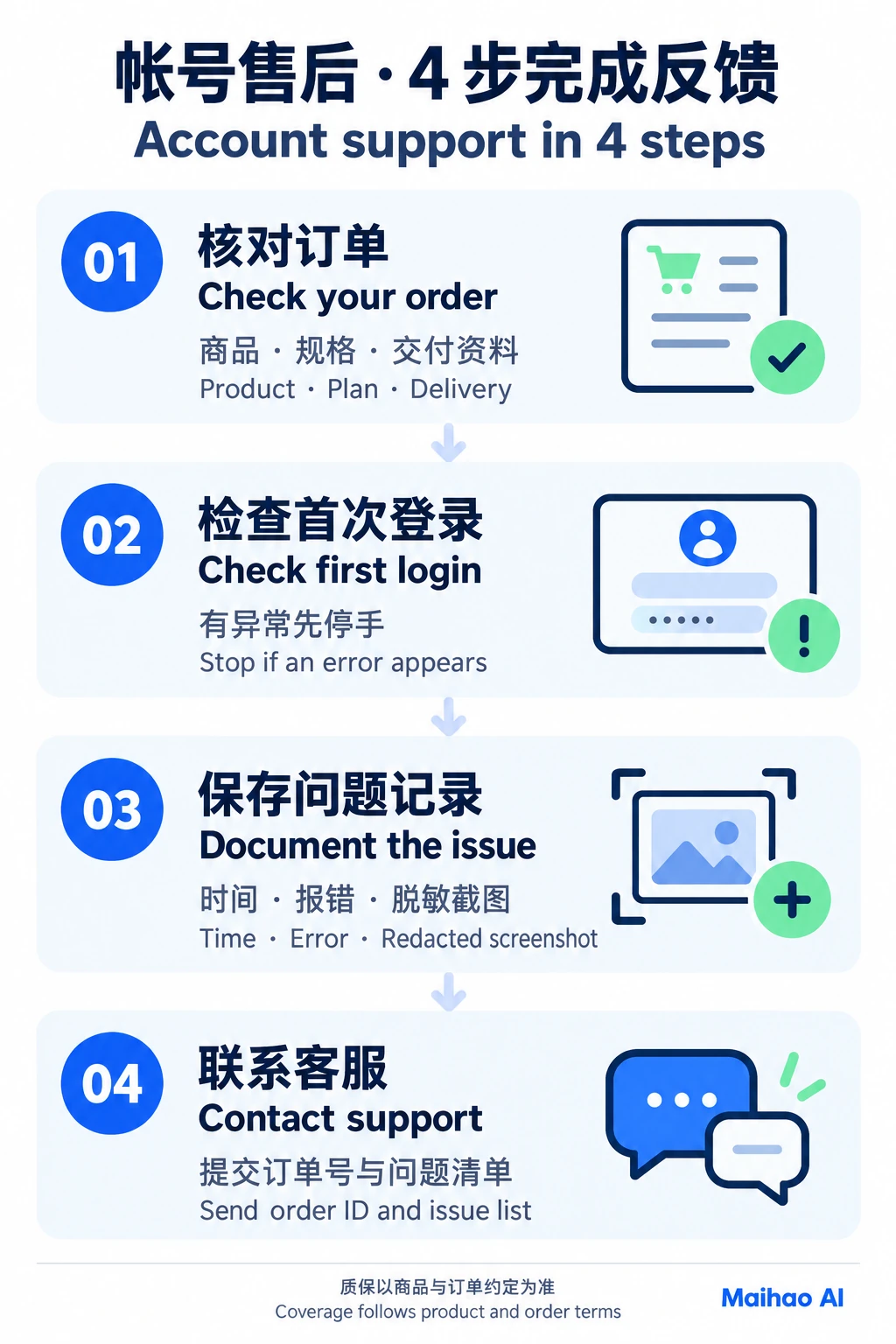
- Check the order and delivery. Confirm the product, specifications, quantity and details. For orders placed while signed in, check My Orders; for guest orders, use Guest Order Lookup.
- Use a clean browser environment. Use a separate browser profile with no other account login history. Follow the product requirements to keep the IP or proxy consistent with the account's region, and avoid switching countries on the first login.
- Check the account before changing details one at a time. Follow the login guide. For independently managed accounts, let the session remain stable for several hours, then make changes separately in this order: password → recovery email → phone or 2FA, leaving intervals between changes. Do not change shared-account or team-access details without permission.
- Keep the original delivery records. Save the original account details, first-login time and necessary screenshots for verification. Each account is sold only once and is not resold to another buyer, so there is no need to rush to change every detail at once after the first login. You must still complete your checks and report any issue within the applicable deadline.
A Checkpoint appears on first login: stop immediately
Do not attempt account recovery, try to bypass the security check or repeatedly submit verification. Contact support immediately and keep the prompt page. Your own attempts may permanently lock the account; accounts locked as a result are not eligible for replacement.
What information do you need to contact support?
- Order number, product name and purchased specifications.
- The affected account's username, ID or delivery item number.
- A screenshot or screen recording of the full window showing the error, security check or login page. Do not crop it to a small area that removes the context.
- Whether the first attempt successfully signed in, and the purchase, delivery, first-login and first-issue times, including the time zone.
- The proxy used, if any, network region, device and whether other accounts were previously signed in through the same browser.
- Whether you changed the password, recovery email, phone number or 2FA, and any recovery actions already attempted.
Redact passwords, cookies, tokens, verification codes, 2FA secrets and unrelated personal information from screenshots and recordings. If support needs to verify the original delivery details, provide only the necessary parts through a confirmed private support channel. Do not post them in group chats or on public pages.
Order number / product specifications:
Account identifier / delivery item number:
Purchase time / delivery time (including time zone):
First login time / was it successful?:
Time the issue first appeared:
Error message / specific issue:
Proxy, network region and device:
Were other accounts signed in through the same browser?:
Details changed / actions already attempted:
Attachments: full-window screenshots or recordings with sensitive information redacted
Bulk orders: check the batch and submit one combined report
Check all accounts in the same batch first, then, where possible, submit a complete issue list in one support conversation instead of opening duplicate requests for individual accounts. For larger quantities, use a TXT file listing each account identifier, delivery information, specific issue and corresponding evidence. If support needs the original login details for verification, provide them through a confirmed private channel.
Combining reports is not a reason to miss a deadline. If the standard warranty deadline or Gmail phone verification's 30-minute deadline after purchase is approaching, report the issues already found first, then complete the list in the same conversation.
Contact support, response times and BM service limits
Use the Contact Support option on this website, or submit your order and issue details through these channels:
- Telegram: Contact Maihao AI support
- Support email: [email protected]
Most support cases receive a reply the same day. Cases requiring supplier verification may take longer, and support will explain progress in the conversation. A same-day reply does not mean the issue will be resolved that day. After leaving the page, check your chosen contact channel and your email inbox and spam folder.
Business Manager (BM) and advertising accounts: Support can help you obtain access and sign in. Ad configuration, advertising and campaign operations are the buyer's responsibility. Related configuration or advertising technical support is not included.
Account support frequently asked questions
When does the standard account's 24-hour period start?
The 24-hour coverage window starts at the earlier of delivery or first login. Do not delay checking the account or assume that the first login always starts a separate full 24-hour period.
When must I report a Gmail phone-verification request?
Report that phone-verification issue within 30 minutes after purchase, with the prompt and any necessary check results. If you report it more than 30 minutes after purchase, coverage for that issue expires.
Does the warranty restart after an account is replaced?
Yes. You will receive an unused replacement account from the same stock category, with a full new warranty window starting when the replacement is delivered. An unused replacement account does not mean a newly registered account. Sign in, check it and complete the permitted security settings promptly.
Can I choose a refund instead of replacement for a valid claim?
Yes. Once the claim is confirmed as valid, you can choose immediate replacement or a refund. State your choice in your initial report.
Can I get a replacement if changing the recovery email, password or 2FA locks the account?
No refund or replacement is provided if improper changes to these details trigger risk controls, a ban or a lock. An account working on delivery but later restricted because of the buyer's actions is not a delivery fault.
Related terms and platform information
For other product types, use the relevant policy: the Top-Up Services After-Sales Policy explains checks for membership top-ups, service CDKs and gift cards; the Growth Services After-Sales Policy explains targets, original-username requirements and handling boundaries for follower and other growth services. The account deadlines on this page do not automatically apply to other product types.
This page is maintained by Maihao AI Management. Keep the product and order commitments made at purchase, and consult the Terms of Service and Platform Notice: Purchasing, Delivery and Support. Any other coverage explicitly promised remains in effect.