For long-term customer service, prioritize an aged WhatsApp account with verifiable history and recent normal use. Match the number to your main customer market, then confirm verification, device support and the business features you need. Choose a clearly identified US number for a new US contact point, a Canadian number for Canada, +44 for the UK and +49 for Germany.
A single suitable new account is enough to test a workflow. If customers already use a business number that you can continue to verify and manage, keep that established contact point.
Start with the job: what should you buy?
| Your job | Our starting choice | Confirm before ordering |
|---|---|---|
| Ongoing support and after-sales service | An aged account with documented history and recent normal activity | Registration evidence, recent activity and re-verification |
| One person handling product questions | WhatsApp Business App and a dedicated business number | Business App compatibility and your primary phone |
| Several agents assigning conversations | Business Platform and a team inbox | WABA connection, seats, routing and permissions |
| Automated order and shipping updates | Business Platform or Cloud API with a store integration | Order events, Utility templates and delivery receipts |
| Repeat-purchase campaigns for subscribers | A Platform setup that supports the recipient market | Marketing templates, consent and current capacity |
| Your first workflow test | One account or number that meets the specifications | Login, an incoming enquiry and the required features |
A ready-made account is an existing login resource. A phone number or OTP service provides a verification capability. The Business App supports everyday customer conversations and a business presence; the Business Platform supports integrations and business messaging workflows.
Treat these as separate purchases. A seller’s “protocol account” or “number API” label does not establish that you are getting Meta’s business messaging API, a WABA or a seat in a customer service application.
Aged or new: what works best for ongoing operations?
When country, verification and functionality match, prioritize an aged account with checkable history and recent normal use for ongoing support. The useful combination is documented history plus current usability.
Ask for comparable information rather than relying on an “aged” or “premium” label:
- A registration date and evidence supporting it.
- Recent activity and the present state of login, messaging and required features.
- The available email, SMS or voice verification route and its service term.
- Supported phones, business functions and software connections.
Sellers do not share a universal definition of an aged account. An early registration date alone does not show its current condition. Complete that information before putting it on a long-term shortlist. Account age does not itself specify a delivery rate, messaging allowance or service life.
For a one-off test, a suitable new account can be the better starting purchase. For a customer-facing number you intend to retain, put more weight on complete history, ongoing verification and the actual business workflow.
Which country number should an ecommerce business choose?
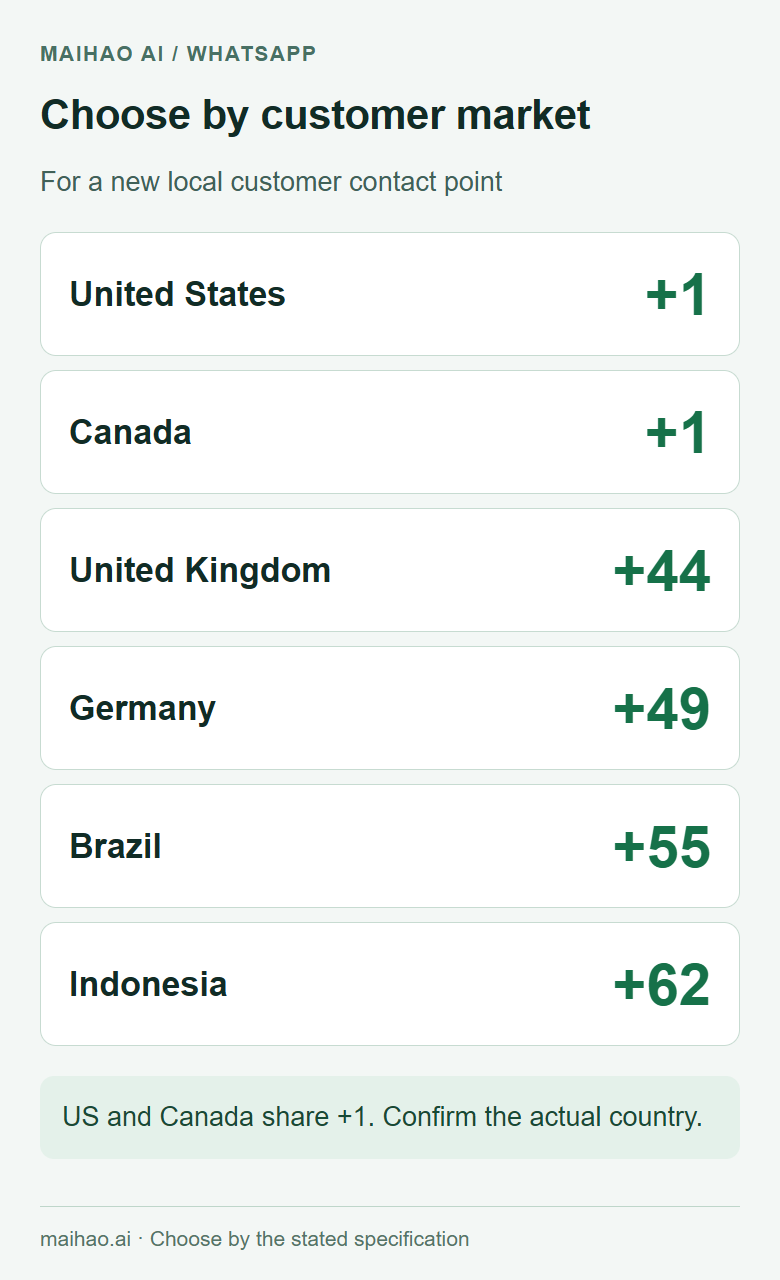
For a new local customer contact point, prioritize the country of your main customer market. Separate brands or language teams when there is a clear operational reason to do so. The number’s country, the business’s legal location and the agents’ working location are different attributes.
| Main market | Preferred number | Decision to make |
|---|---|---|
| United States | A specifically identified US +1 number | A +1 prefix alone does not identify the US |
| Canada | A specifically identified Canadian +1 number | Check Canada separately from US inventory |
| United Kingdom | +44 | Compare verification routes, term and renewal |
| Germany | +49 | Use it as a German contact point, not an “EU local number” |
| Brazil | +55 | Match the Brazilian Portuguese business presence |
| Mexico | +52 | Plan separately from Brazil and its language |
| Indonesia / Malaysia | +62 / +60 | Choose the actual country, not a generic regional label |
| Saudi Arabia / UAE | +966 / +971 | Match the main market rather than treating the Gulf as one country |
| Several markets under evaluation | A business number you can keep managing | Validate the enquiry flow before adding numbers |
| An established business contact number | Keep the existing number | Retain the customer entry point if it meets your requirements |
The US and Canada share +1 with other territories. Europe does not have one EU country calling code. Use the ITU numbering directory to check country codes.
A local number is an operational and brand-presentation choice. It is not a promise of better conversions, and it does not replace the eligibility rules of a particular integration.
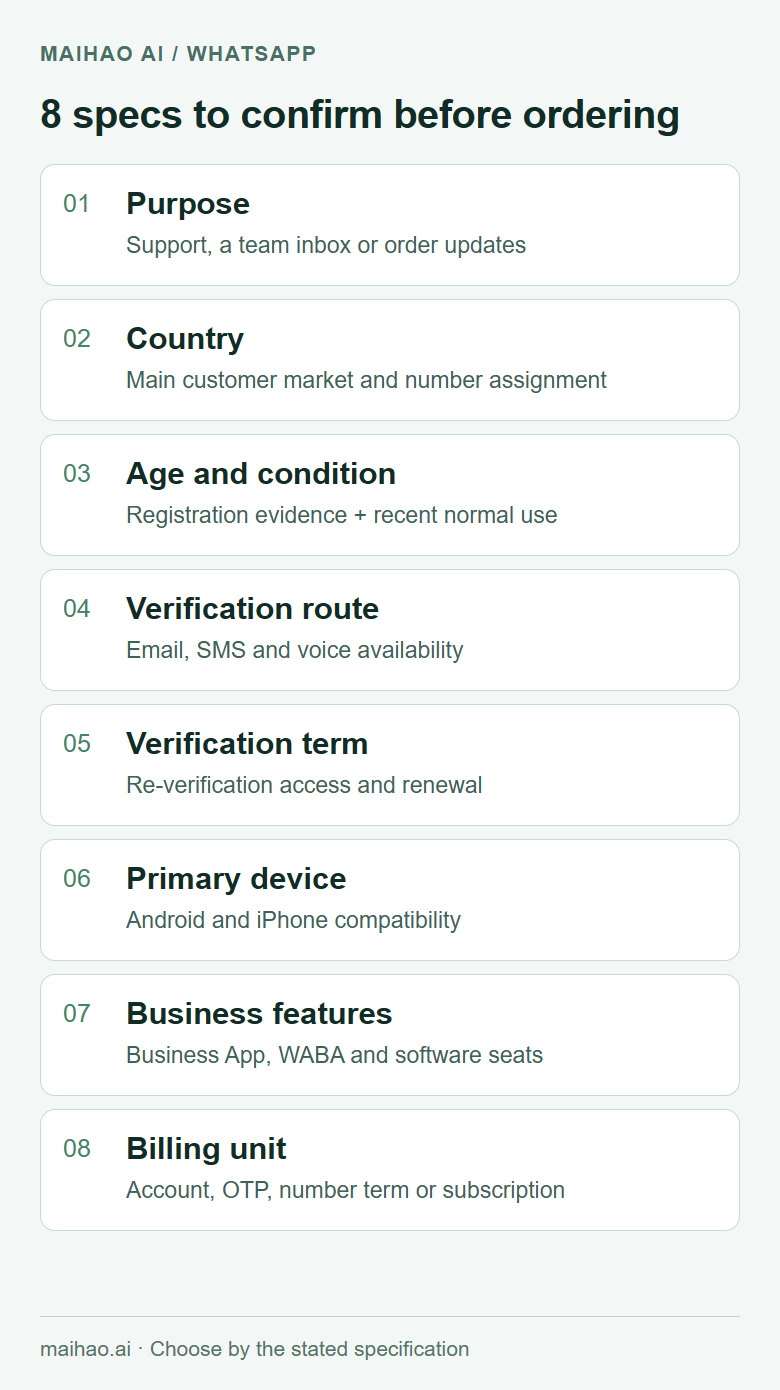
The 12 specifications to compare before ordering
| Specification | Get a concrete answer | Selection rule |
|---|---|---|
| Resource type | Existing account, phone number, one OTP or Platform setup | Buy the resource your workflow needs |
| Country | International number and actual country assignment | Match your intended market |
| Age and recent condition | Registration evidence, recent activity and current functions | Prioritize documented aged accounts for ongoing use |
| Verification route | Email OTP, SMS, voice or linked-device access | Match the delivery details and login route |
| Re-verification term | Available days, permitted use and renewal | Cover your operating period |
| Primary device | Android, iPhone or a stated restriction | Match your actual phone |
| Delivered fields | Number, email access method and necessary credentials | Complete the specified login process |
| Business functions | Profile, catalog and quick replies, if included | Arrange any missing activation |
| Collaboration | Linked devices versus software agent seats | Confirm routing and separate permissions |
| Integration | Store or CRM connector and required access | Match the software’s onboarding requirements |
| Messaging capacity | Current limits, template status and availability | Check the specific account and plan |
| Billing unit | Account, OTP, number term or software subscription | Compare the same unit and period |
Email-code login is different from creating a new account using only an email address. WhatsApp still associates the account with a phone number. Its registration guidance distinguishes SMS or voice registration from re-registration using a previously added email.
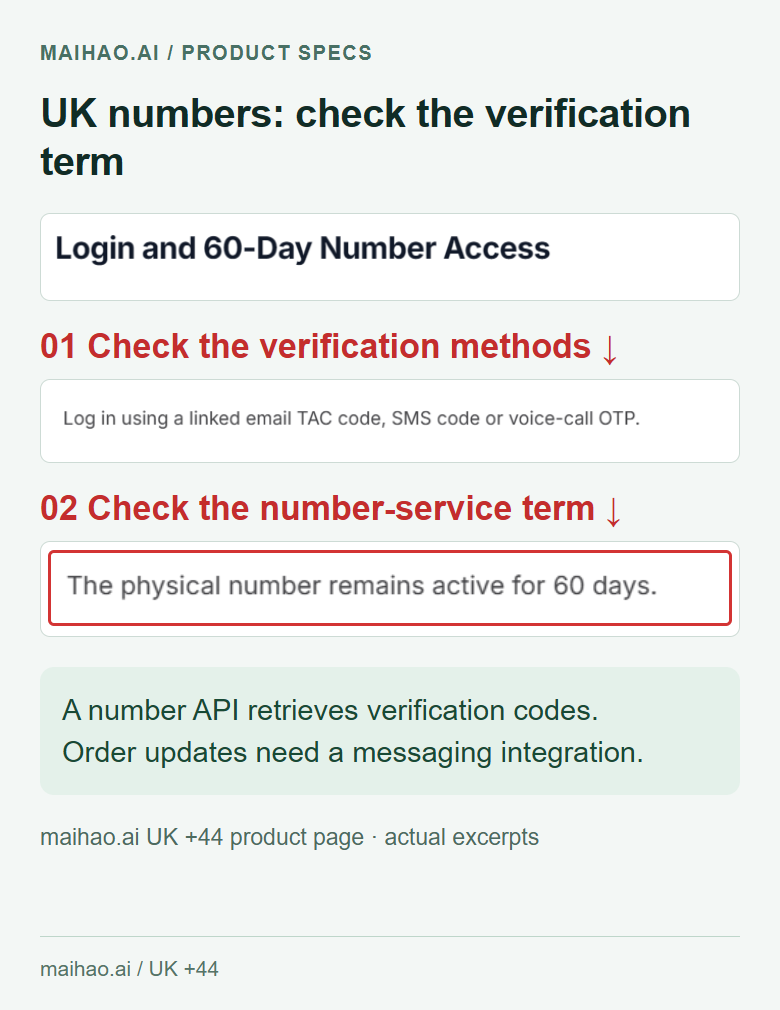
If you need later SMS verification, choose a specification that explicitly provides it. Also establish what a “30-day” or “60-day” term covers: the number, a verification endpoint or another service. Do not convert that term into an assumed account lifespan.
Match the listed product to your requirements
The following options are matched by their stated country and verification method. Their product pages do not jointly establish account age and recent activity, so age remains unconfirmed. For an aged-account purchase, request those details before choosing a matching product.
| Requirement | Product option | Stated specification |
|---|---|---|
| US number and email login | US-number WhatsApp account | Email included, email OTP, two-step verification not enabled |
| Canadian number | Canada +1 account | Identified as Canada, email OTP |
| German contact number | Germany +49 account | Identified as Germany, email OTP |
| UK number with verification during a defined term | UK +44 physical-SIM verification option | Listed 60-day number and verification API, with email, SMS and voice methods |
| A test without a required country | Mixed-country account | Random country, email OTP; no specific country selection |
The US, Canadian and German email-login specifications do not establish SMS access, a WABA or business verification. The UK number API is for verification; order notifications require a separate business messaging integration. For ongoing support, confirm the arrangements after its stated 60-day term.
Exclude an Android-only listing if your primary phone is an iPhone. An initial one-time OTP service is also a different resource from a number you intend to keep for customer support. See the WhatsApp account category for current listings and prices.
Buy and set up: a six-step workflow
- Write down the market and job. For example: Germany, ongoing after-sales support, an iPhone primary device and two agents. Use customer order distribution where available, or a defined launch market for a new store.
- Filter by country and resource type. Open Products, Account products, then WhatsApp accounts. For an aged account, confirm registration evidence and recent activity before selecting the country-matched option.
- Complete the specifications. Confirm device support, verification term and business features. For automation, start with the integration’s phone-number and Platform requirements.
- Order the selected specification. Check quantity, delivery method and the checkout total. Start with one resource to validate the workflow.
- Read the delivery details in the order. Guest purchasers can use the site’s guest order lookup. Open the official app and follow the supplied number and verification route. Use the specified email access method for an email-OTP product.
- Validate the business task before expanding. Check the number and profile in the official app. Have a colleague initiate an enquiry and complete a reply. For an integration, use a test order to check the template, order fields, delivery receipt and agent visibility.
Main customer market:
Job: ongoing support / team inbox / order updates
Primary device:
Required country:
Registration evidence and recent activity:
Verification route:
Re-verification term and renewal:
Business App or WABA capability:
Required software, seats and permissions:
Billing unit and full cost:
If the specified verification option does not appear, check the delivered number, device and route, then ask order support to confirm the details. A successful login verifies access; continue with Business App or Platform onboarding to obtain any business features that were not part of the product.
Shopify and shared inboxes: check the connection first
Use Business App for straightforward manual enquiries. Choose Platform and suitable software when you need order triggers, conversation assignment or system integration. An account, a software seat and a WABA are separate resources.
Shopify Messaging connects a WABA through Meta Embedded Signup. Its setup guide describes existing business numbers, eligible third-party numbers and the number option offered during onboarding.
Check Shopify’s current requirements before buying for that integration. It requires a business entity not registered in China and currently does not send WhatsApp marketing to US customers. A US store messaging subscribers in other supported markets is a different situation. This scope concerns Shopify Messaging marketing; do not treat it as a blanket rule about every US support or order-update workflow.
For a team inbox, confirm seats, assignment, supervisor access and conversation visibility. For order updates, confirm triggers, Utility templates, customer subscriptions and delivery receipts. A country label supplies none of these features by itself.
Compare the full cost over the same operating period
Add the purchase price, number verification or renewal, software or agent seats, and applicable Meta messaging fees. A single OTP, a 60-day verification resource and a monthly software plan have different billing units.
The official Platform pricing page explains delivered-message pricing by recipient market and category, with free-message cases. A cheaper sender number does not automatically reduce the message rate for your customers’ market.
For a solo store, price the number, verification and App requirements first. For a team, add the seats and connection. For automation, estimate delivered volume by message category. Buying more accounts does not itself define the capacity of the team’s messaging setup.
Social media account handover and security checklist
When receiving a WhatsApp account, compare the country, delivery fields, verification channels and service term with the specifications agreed before purchase. A successful login is one handover check; ongoing control and business features also need to be confirmed.
- Check the number’s country, email access and verification channel. Confirm that re-verification periods and renewal arrangements match the order.
- Confirm that the handover and intended use comply with applicable platform rules, and check authorization to manage business information, numbers and related assets.
- Use the official app to review linked devices and available security settings. Where supported, remove unneeded sessions, update recovery information and securely retain your recovery details.
- Check the Business features and team permissions agreed in the product description. Verify WABA access, support seats and store integrations separately when required; a basic login does not confirm those capabilities.
- If anything differs, retain redacted records and report it through the original order. Do not expose passwords, verification codes, session credentials or recovery codes in public comments, group chats or screenshots.
Frequently asked questions
Should ongoing support use an aged or a new account?
When the country, verification and features match, prioritize an aged account with verifiable history and recent normal use. A suitable new account can cover a first workflow test.
Does a US ecommerce store always need a US +1 number?
Prioritize a US number for a new local US contact point. Keep an established business number if it still meets your needs. A US number does not activate every US marketing capability.
Why distinguish US and Canadian +1 numbers?
Several territories share +1. Confirm the actual country in the listing and delivered number rather than using the prefix alone.
Is a German +49 number local throughout Europe?
It remains a German number. It can serve international customers, but a local presence for another country needs a separate country decision.
Does an email-OTP product still have a phone number?
Yes. Email is an available verification route for the relevant existing account, not a replacement for the number associated with it.
Can a number API send shipping notifications?
An API that retrieves verification codes is different from the business messaging API. Shipping notifications also require the integration, order event and appropriate template.
Does a 60-day term mean the account expires after 60 days?
Check what the listing defines. The UK option here describes a number and verification-service term. Confirm re-verification and renewal for a longer operating period.
Do several accounts create a shared support team?
For unified assignment and permissions, choose Platform with a team inbox. Independent accounts do not automatically become one customer service system.
How should I compare instant delivery or wholesale accounts?
Those labels describe delivery method and quantity. Still compare country, age, verification and business functions. Validate one suitable resource before scaling by brand, language or team.
