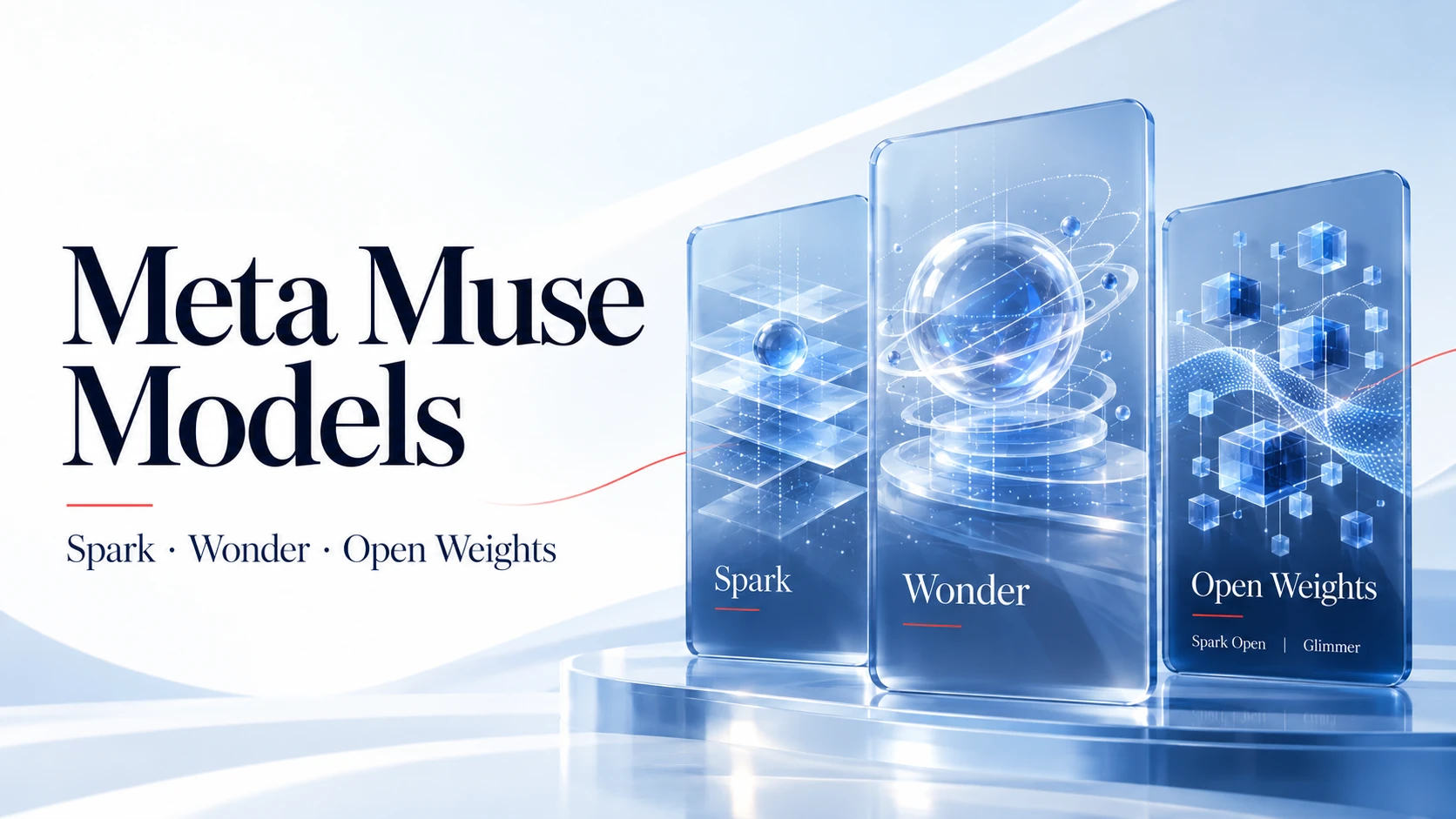
Meta Muse uses Meta’s own Muse model family. Muse Spark powered the personal agent at launch, while Muse Wonder is a newer model family with a different rollout and access path. To understand which Muse model you can use, separate the model name from the Muse app, Muse Code, API access and your token allowance.
Which model does Muse use?
Muse is the personal AI agent product; Spark and Wonder are model families. Meta’s Muse launch announcement identifies Spark as the model powering the product at launch. That establishes the launch architecture, rather than a permanent version guarantee for every account.
Keep these four names separate:
- Muse app: the consumer experience in which you give the agent tasks.
- Muse models: the underlying models, including Spark and Wonder.
- Muse Code: a developer-facing coding agent with its own model and plan availability.
- Meta Model API: the developer service for calling hosted models.
This guide covers Meta Muse. For the product’s general features and first-use workflow, see what Muse is and how it works.
Which Muse models are available?
The Muse names cover several jobs: reasoning and agentic work, image creation, transcription and self-hosted inference. Meta’s official model catalog distinguishes their versions and access routes. The catalog is not a list of buttons guaranteed to appear in the consumer app.
| Model | Main purpose | Input → output | Official route | Key distinction |
|---|---|---|---|---|
| Muse Spark | Reasoning, coding and tool-based tasks | Text and multimodal input → text | Model API; supported versions in Muse Code | Versions 1.1, 1.2 and 1.3 have separate model IDs |
| Muse Wonder | Complex, sustained agentic work | Text and multimodal input → text | Model API and Muse Code | Consumer app rollout is a separate announcement |
| Muse Wonder Full | The higher-capability Wonder variant | Multimodal input → text | Muse Code Power Usage and Maximum Usage plans | Not offered on the pay-as-you-go Model API |
| Muse Spark Open | Self-hosted agentic and coding workloads | Text, image, audio and video → text | Downloaded weights or a hosted provider | Governed by the Muse Model License |
| Muse Glimmer | Local multimodal workflows | Text and image → text | Downloaded weights and supported runtimes | 30B parameters; Apache 2.0 weights |
| Muse Image | Image generation and editing | Text and image → image | Meta Model API | An image-output model |
| Muse Voice Transcribe | Speech transcription | Audio → text transcript | Meta Model API | Transcribes speech; does not synthesize it |
Spark versions: 1.1, 1.2 and 1.3
The current catalog recommends Spark 1.3 for new work. Its API identifier is muse-spark-1.3. An API example using that identifier does not establish the default model in your Muse app.
Wonder and Wonder Full
Wonder and Wonder Full are distinct variants. Setting Wonder’s reasoning effort to max does not select Full. Wonder’s pay-as-you-go Model API access is Standard mode only. The catalog also currently excludes both variants from Model API and Muse Code availability in South Korea.
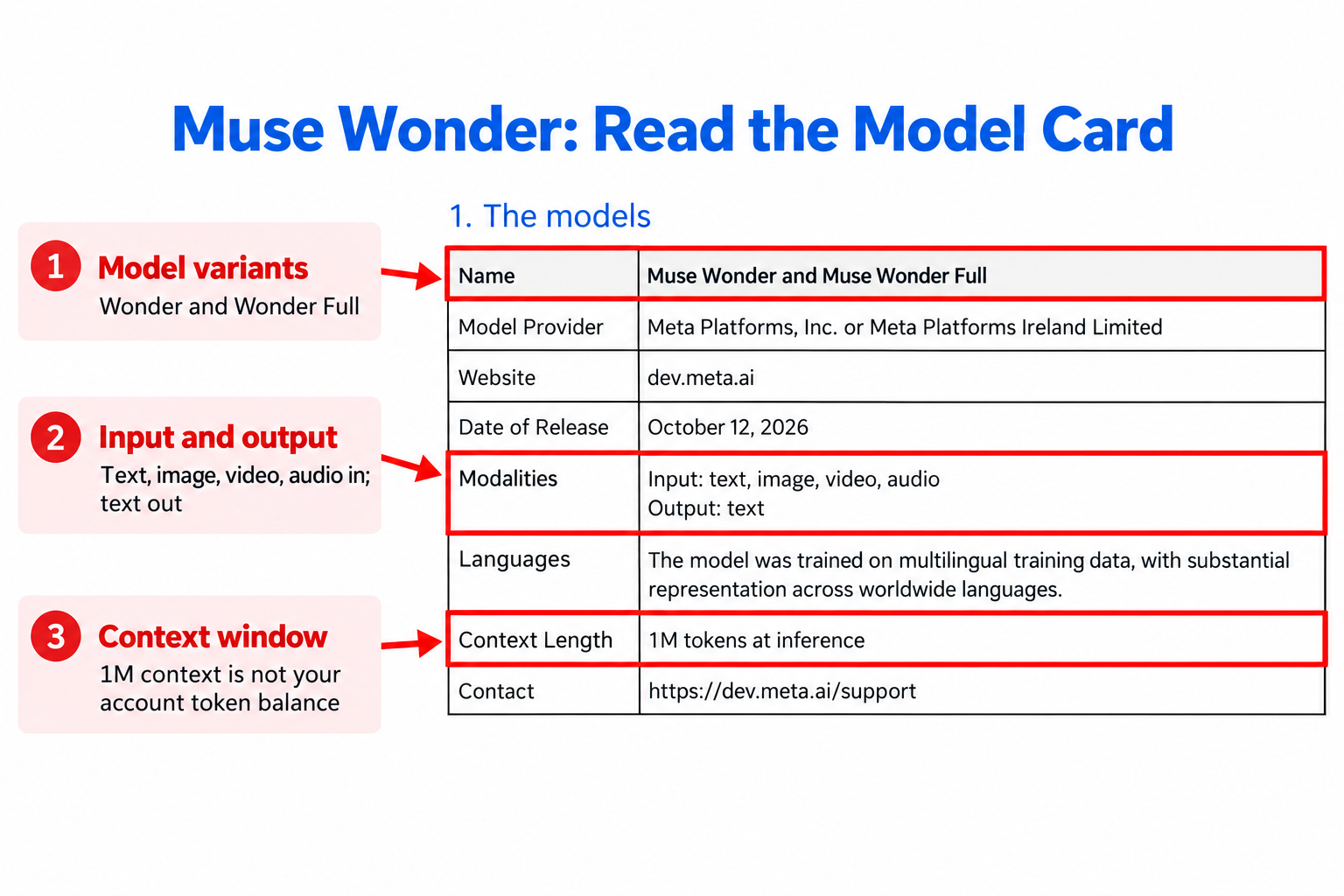
The highlighted 1M context length describes how much context the model can process at inference. It is a different measurement from the tokens remaining in an account.
Image generation and transcription
Muse Image produces or edits images. Muse Voice Transcribe converts audio into text. Understanding an image, generating an image and transcribing speech are different capabilities; check the output type before choosing a model.
Open weights: Spark Open and Glimmer
Muse Spark Open has 816B total parameters and 42B active parameters. Its published checkpoints require substantial hardware; the active parameter count does not describe the complete weight footprint. Its weights use the Muse Model License and applicable use policy.
Muse Glimmer is a 30B model distilled from Spark, with text and image input and a default 128K-token context window. Its weights use Apache 2.0. These are specific downloadable releases, rather than evidence that every Muse model has downloadable weights.
Spark vs Wonder: how should you choose?
Choose for the job you need to finish. Meta positions Spark for workloads sensitive to cost or latency, and Wonder for more complex, longer-running tasks. Treat that as official product positioning, then evaluate the actual task.
- Repeated, bounded work: start by evaluating Spark for classification, short tool loops or large numbers of similar requests.
- Complex projects: evaluate Wonder when work spans many files, tools or dependent steps.
- Image deliverables: check an image-output model rather than expecting a reasoning model’s text output to be a finished image.
- Local infrastructure: evaluate an open-weight release against your hardware, runtime and license requirements.
For a useful comparison, give each candidate the same inputs and success criteria. Check factual errors, completion of required steps, latency and total cost. A stronger model name alone does not establish that a particular workflow will succeed.
Meta’s Wonder announcement says the model would roll out to Muse experiences with subscribers first. That rollout statement does not establish which model a particular app account is using today.
Muse app, Muse Code, API or local deployment?
Start with the route that matches your goal. Using the personal agent, running a coding agent and building an application involve different access checks.
| Route | Typical reader | Access check | Usage or costs | Useful evidence |
|---|---|---|---|---|
| Muse app | Someone delegating personal tasks | Account eligibility and displayed benefits | The account’s app allowance and subscription terms | Explicit account or plan information |
| Muse Code | A developer using the coding agent | Model availability for the selected plan or payment route | Muse Code’s applicable usage terms | The selected model and current plan documentation |
| Meta Model API | A developer integrating a hosted model | Developer credentials and enabled models | Applicable API billing and rate limits | Model ID, returned catalog and request response |
| Self-hosted weights | An operator running inference | Checkpoint license, hardware and runtime | Your compute and hosting costs | Checkpoint name and server configuration |
For a Muse model download, decide whether you mean installing the app or obtaining model weights. Use our Muse AI app download guide for installation. Spark Open and Glimmer documentation covers the separate weights-and-runtime route.
Do free plans, subscriptions or more tokens change model access?
A token allowance measures permitted usage. A model entitlement identifies what you are allowed to run. Check both before paying for additional usage.
Meta’s consumer subscription help describes free usage limits and increasing weekly allowances on paid plans. It also says benefits and availability can vary by region and account. Read the benefits displayed for your account before subscribing.
A referral balance or third-party account description is insufficient evidence of Wonder Full access, an official subscription or developer API credits. For reward redemption, see our Muse invite-code and token rules. Keep that reward check separate from the model-access check.
How to check which Muse model you can use
For app users
- Open the account you intend to use and review its current access, usage and plan information.
- Look for an explicit model name or a named-model benefit. Read any qualification attached to it.
- If the screen shows only a token balance, record it as an allowance. It does not identify a runtime model.
- If no verifiable model identifier is exposed, describe the app access you have without assigning it a specific model version.
A chatbot’s answer to “Which model are you?” is generated text, so it should not replace an explicit product label or runtime record. Keep screenshots of relevant labels for your own comparison, with personal details removed before sharing.
For developers
- Choose the hosted or self-hosted route first.
- For Model API, use your authorized developer environment to query
GET https://api.meta.ai/v1/models. - Match the returned identifier with the official catalog and the model field in your request.
- For local inference, check the checkpoint and serving configuration instead. A local model does not need to appear in Meta’s hosted catalog.
Muse models FAQ
Who develops Muse models?
Meta develops the Muse models discussed here. The article concerns Meta’s personal agent and model family; other products called Muse require their own documentation.
Does Muse use GPT or Claude?
Meta identifies Spark as the model behind Muse’s launch and publishes its own Muse model families. An API or SDK compatibility format does not establish that GPT or Claude is the underlying model.
What is the difference between Spark and Wonder?
Meta positions Spark for more cost- or latency-sensitive workloads, and Wonder for complex, sustained agentic work. Compare their results on your task before choosing.
Can I call Wonder Full through the ordinary Model API?
No. The current catalog lists Full for Muse Code’s Power Usage and Maximum Usage plans, not the pay-as-you-go Model API. Wonder’s max reasoning setting does not select Full.
Can I run Muse models locally?
Yes, downloadable releases include Spark Open and Glimmer. Verify each release’s license, checkpoint size and runtime requirements; downloading the Muse app does not download those weights.
Do invite rewards unlock a specific model?
A reward balance alone does not prove model access. Check the named benefit and applicable account terms separately before treating additional tokens as access to a particular model.
How can I identify my app’s current model?
Use an explicit model label or verifiable runtime information if the product exposes it. If it does not, the account screen cannot establish a version; an AI self-description does not resolve that gap.
How many parameters do Muse models have?
Meta documents Spark Open as 816B total and 42B active parameters, and Glimmer as 30B. Those figures belong to the named releases and should not be assigned to Wonder or another hosted version.